Export profiles straight to Google Drive
You can now send exported profiles straight to Google Drive — no downloading and re-uploading.
Connect once, in Settings
Head to Settings → Account → Integrations and click Connect next to Google Drive. Each person on your team connects their own Drive account, and you can disconnect at any time from the same place.

Export from the profile menu
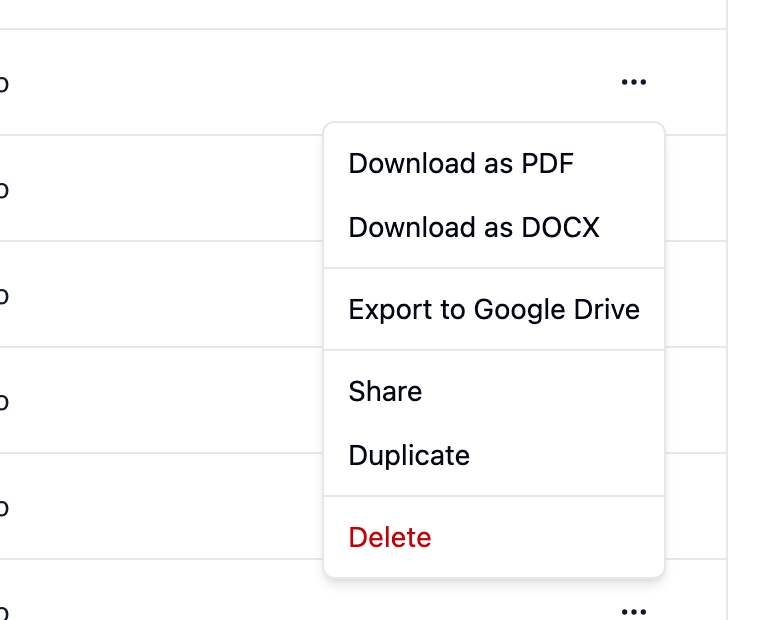
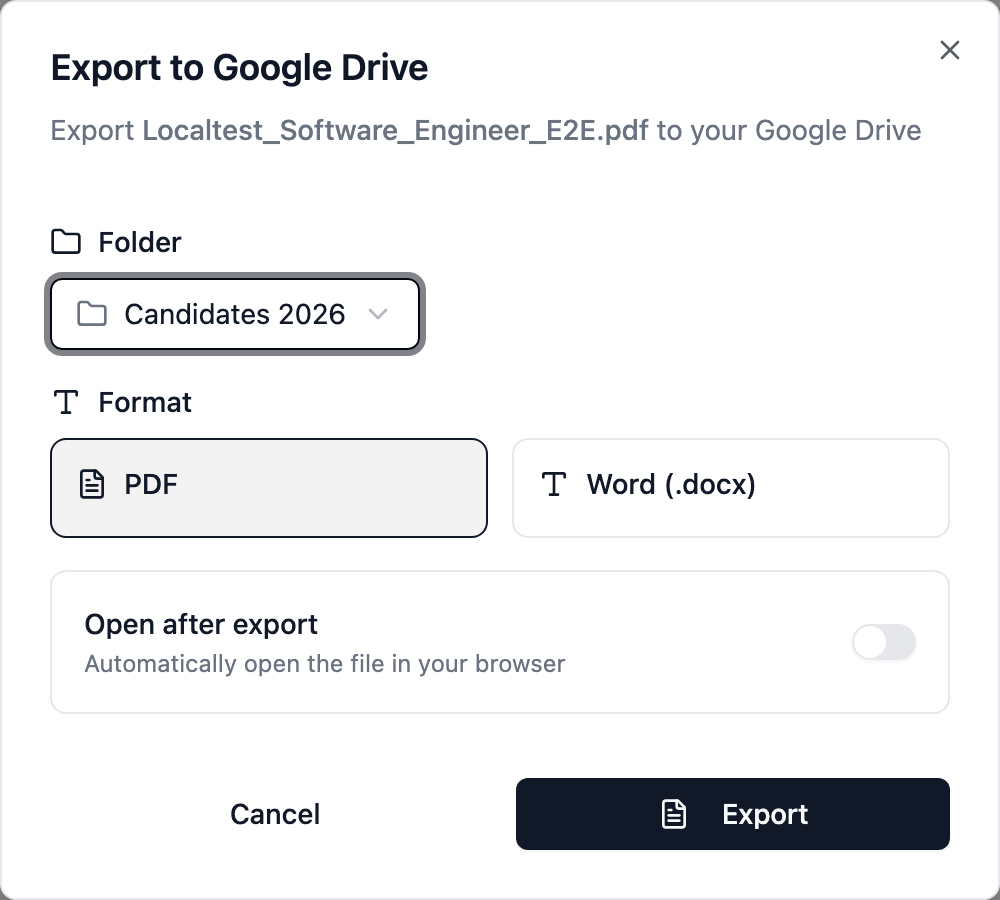
Open the ⋯ menu on any profile and choose Export. Pick a folder, pick PDF or Word (.docx), and you're done. There's also an Open after export toggle if you want the file to pop open in a new tab as soon as it lands.
It remembers where you put things
Your recent folders show up at the top of the folder list, with the last one you used pre-selected. Need somewhere else? "Choose another folder…" opens the regular Google Drive picker.
About permissions
We ask for the narrowest Google Drive scope available (drive.file) — CVtoBlind can only touch the files it creates and the folders you explicitly pick. The rest of your Drive stays private to us.
Full setup and troubleshooting steps are in the help center: Exporting to Google Drive →
Give it a try and let us know how it goes.